SMTP Errors Are Not Random. They Are Feedback.
Most teams open SMTP logs only after something has already gone wrong. Open rates collapse.
Outlook stops receiving mail. A campaign underperforms.
Then someone opens the logs and sees lines like:
- 451 4.7.650 The mail server [IP] has been temporarily rate limited due to IP reputation.
- 421 4.7.28 Gmail has detected an unusual rate of unsolicited email originating from your SPF domain.
- 421 4.7.0 [TSS04] Messages from [IP] temporarily deferred due to user complaints.
At first glance, these messages look technical, vague, and impossible to understand.
But SMTP logs are not noise. They are the clearest feedback mailbox providers give you.
The trick is learning how to read them.
Every SMTP Response Is a Decision
An SMTP error is not really an “error.”
It is a decision made by the receiving mailbox provider.
The provider has looked at your IP, your domain, your authentication, your volume, your recent complaint rate, and sometimes even your engagement history.
Then it decides one of three things:
- “We trust this mail.”
- “We are not sure yet.”
- “We do not want it.”
You can usually tell which stage you are in by the type of SMTP code:
- 4xx = temporary hesitation
- 5xx = final rejection
More specifically:
- 421 / 450 / 451 usually mean the provider is uncertain or wants you to slow down
- 550 / 554 usually mean the provider has already decided the mail is unwanted
A temporary deferral means you still have time to fix the problem.
A hard rejection usually means you waited too long.
Microsoft: Reputation Declines in Stages
Microsoft rarely blocks senders immediately. Usually, it starts by slowing them down.
The first sign often looks like this:
451 4.7.650 The mail server [IP] has been temporarily rate limited due to IP reputation.
This means Microsoft is questioning your reputation. The mail is still being accepted eventually, but not at normal speed.
Typical causes include:
- a sudden increase in volume
- too many emails sent to inactive users
- declining engagement
- sending too aggressively from a new IP or domain
Then the delays become more frequent.
You may begin seeing:
451 4.7.500 Server busy. Please try again later from [IP].
Despite the wording, “server busy” often does not mean Microsoft is truly overloaded.
It often means Microsoft is intentionally slowing your traffic because it no longer fully trusts it.
If the pattern continues, Microsoft may eventually stop accepting the mail entirely:
550 5.7.1 Unfortunately, messages from [IP] weren’t sent. Please contact your Internet service provider since part of their network is on our block list (S3150).
At this stage, Microsoft has moved from hesitation to rejection.
Nothing may have changed in your content.
What changed was trust.
Gmail: Sometimes It Distrusts the Domain, Not the IP
Gmail is different. Unlike many providers, Gmail often tells you exactly which identity it no longer trusts.
For example, Gmail may return:
421 4.7.28 Gmail has detected an unusual rate of unsolicited email originating from your SPF domain [domain]. To protect our users from spam, email sent from your domain has been temporarily rate limited.
This is extremely important. Gmail is not blaming your IP.
It is blaming the domain used in SPF authentication — usually your Return-Path / MAIL FROM domain.
In other words:
“We no longer trust the reputation of this authenticated domain.”
You may also see the same message for DKIM:
421 4.7.28 Gmail has detected an unusual rate of unsolicited email originating from your DKIM domain [domain]. To protect our users from spam, email sent from your domain has been temporarily rate limited.
That means the DKIM signing domain has developed a poor reputation. This is why changing IPs sometimes does not fix a Gmail problem.
If Gmail distrusts your SPF or DKIM domain, moving to a different IP will often change nothing.
Gmail can also point to outright authentication failures:
421 4.7.27 Your email has been rate limited because SPF authentication didn’t pass for this message.
or:
421 4.7.30 Your email has been rate limited because DKIM authentication didn’t pass for this message.
These responses tell you exactly where to look:
- SPF domain reputation
- DKIM domain reputation
- SPF authentication setup
- DKIM authentication setup
And that is much more useful than a generic “message rejected as spam.”
Yahoo: More Honest, But Following the Same Pattern
Yahoo is often more direct than Microsoft. When Yahoo starts seeing negative user signals, it frequently returns:
421 4.7.0 [TSS04] Messages from [IP] temporarily deferred due to user complaints.
This is one of the clearest SMTP responses used by a major provider. Yahoo is telling you exactly what is happening:
Users are complaining, ignoring, deleting, or otherwise reacting negatively to your mail. And because of that, Yahoo is delaying your messages.
At this stage, the mail may still eventually be delivered. But if you continue sending without fixing the underlying problem, Yahoo often escalates to:
554 Message not allowed – [TS03]
That is usually the point where Yahoo has decided your traffic is no longer acceptable.
Again, the pattern is the same:
- Complaints rise
- Deferrals begin
- Rejections follow
Smaller Providers Often Reveal the Truth Faster
Sometimes the clearest clues come from smaller mailbox providers. For example, Orange in France often returns:
550 5.2.0 [OFR_506] Unfortunately, messages from your IP were not accepted. Please visit https://postmaster.orange.fr/
This usually means Orange has decided your IP reputation is too poor to continue accepting mail.
Regional providers can be useful because they are often more explicit than Gmail or Microsoft. You may see one ISP rejecting nearly all of your traffic while every other provider still accepts it.
That does not mean the problem is small. It often means you are seeing the beginning of a broader reputation decline.
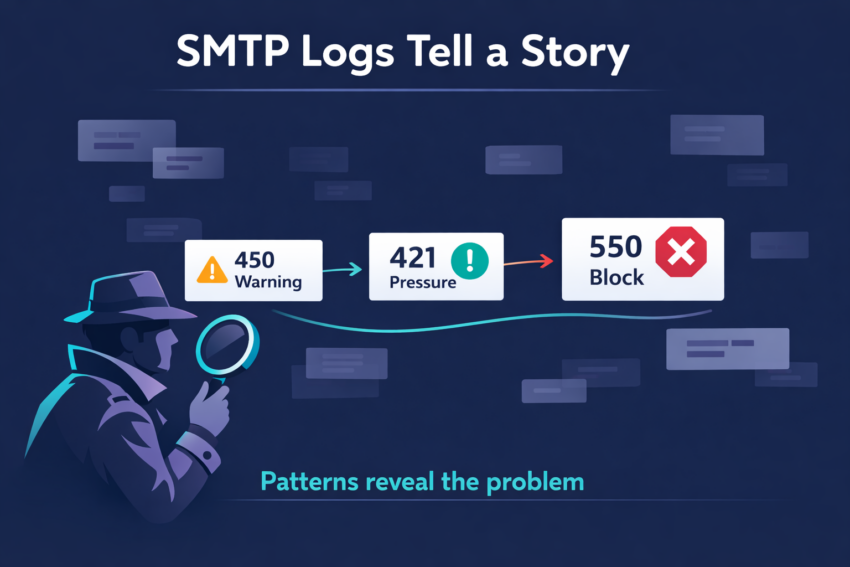
SMTP Logs Tell a Story Over Time
The biggest mistake people make is looking at only one error in isolation. A single deferral or rejection does not tell you much.
The real insight comes from the pattern over time. For example:
Week 1:
451 4.7.650 The mail server [IP] has been temporarily rate limited due to IP reputation.
Week 2:
451 4.7.500 Server busy. Please try again later from [IP].
Week 3:
550 5.7.1 Unfortunately, messages from [IP] weren’t sent.
That is not three separate problems. It is one story. The provider first became cautious. Then suspicious.
Then it stopped trusting you entirely.
Gmail follows the same pattern:
Week 1:
421 4.7.28 Gmail has detected an unusual rate of unsolicited email originating from your SPF domain [domain].
Week 2:
More rate limiting. More mail delayed. Inbox placement begins to decline.
Week 3:
550-5.7.1 [IP] Our system has detected that this message is likely unsolicited mail.
Again, the same story:
hesitation → throttling → rejection
Deliverability rarely breaks overnight.
Mailbox providers almost always warn you first. The Most Dangerous Metric Is the Average
A campaign may still show:
- 98% accepted
- 1% bounce rate
- normal overall delivery
And still have a serious problem.
Because averages hide where the problem really is.
For example:
- Gmail accepts everything
- Yahoo is mostly fine
- Microsoft rejects 40% of your mail
If Outlook and Hotmail make up a large part of your audience, that is not a small issue hidden inside a good average.
That is a major deliverability problem.
Experts do not look only at total bounce rate.
They ask:
- Which ISP is returning the errors?
- Which SMTP response is increasing?
- Did the change begin after more volume, a new IP, or a new domain?
- Are temporary deferrals becoming hard rejections?
That is how you detect the problem before it becomes visible in your business metrics.
Final Takeaway
SMTP errors are not technical noise. They are feedback. They tell you what mailbox providers think about your sending behavior.
A temporary deferral means:
- “We are not sure about you.”
- A hard rejection means:
- “We have already decided.”
The teams that succeed in deliverability are not the ones who memorize the most SMTP codes. They are the ones who notice the pattern early. Because by the time a provider is rejecting your mail, the real problem usually started weeks earlier.