Free IP Blacklist Checker

Run a fast blacklist lookup for any sending IP address and see whether it appears on DNSBLs or spam blacklists that may affect email delivery, IP reputation, and sender security.

Run a lookup to review blacklist status, DNSBL matches, and possible reputation risks for this IP address.

      What the IP Reputation Checker Shows Beyond Blacklist Status

      A blacklist lookup tells you whether an IP address is currently listed. An IP reputation checker should also help you understand the surrounding risk signals: DNSBL status, spam complaints, abuse patterns, server trust, authentication context, and whether the IP may affect email delivery.

      Blacklist and DNSBL Status

      See whether the IP is detected on selected blacklists or DNSBL services and identify which list triggered the result. If the IP is listed, fix the source of the problem first: compromised server, spam complaints, abuse reports, poor list quality, or malicious traffic. Then follow the blacklist removal process and continue monitoring for new events.
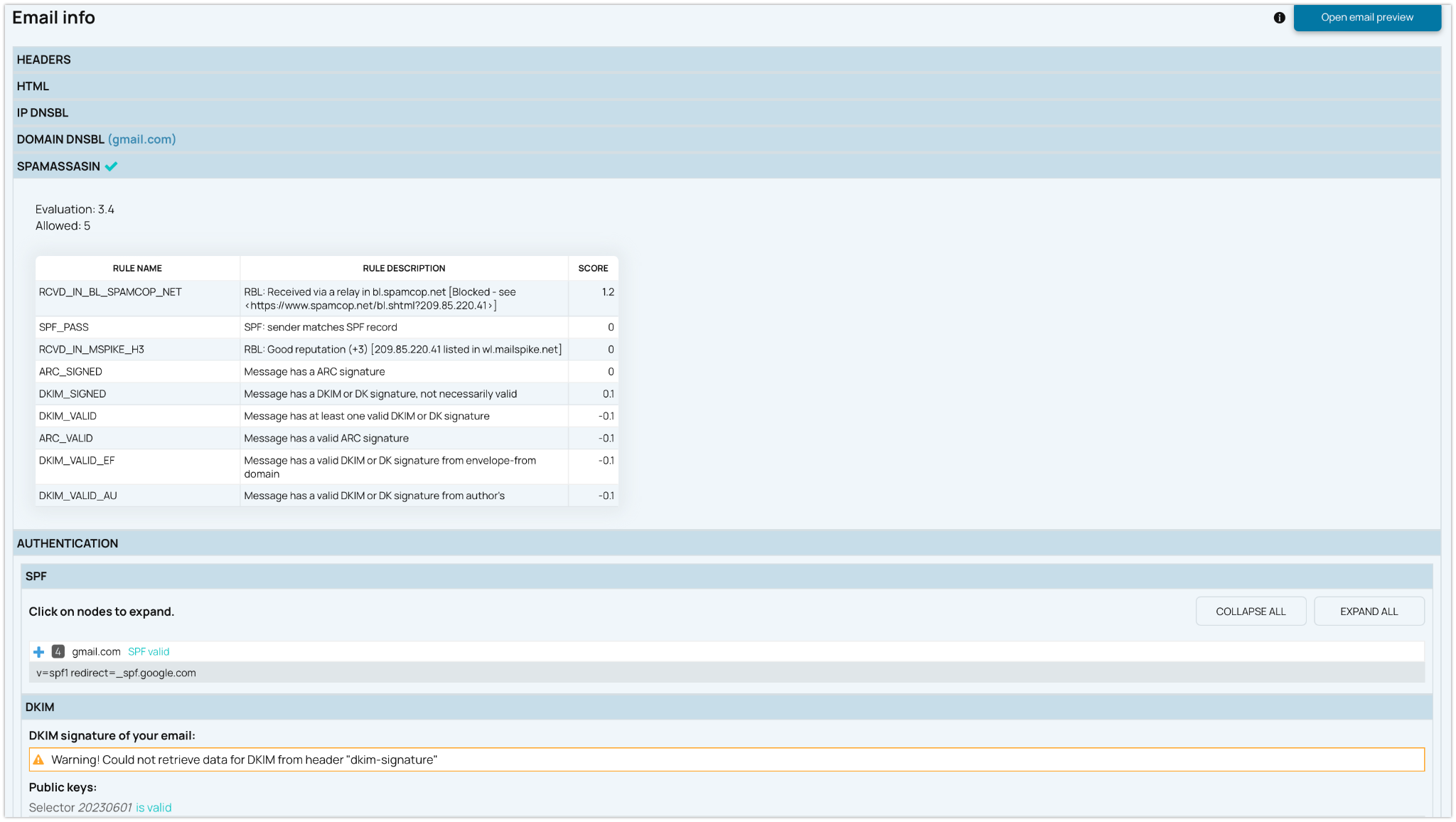
      IP Reputation Signals

      Use the result as an early warning signal for spam, abuse, suspicious network behavior, or reputation problems connected to a sending IP. Learn how IP reputation fits into deliverability.

      Server, DNS, and Authentication Context

      Blacklist status is only one part of deliverability. Review the same sending setup together with SPF, DKIM, DMARC, reverse DNS, FCrDNS, and HELO/EHLO alignment to understand whether the server looks trustworthy to mailbox providers.

      Why IP Reputation and DNSBL Monitoring Matter

      IP and domain reputation can change quickly after volume spikes, spam trap hits, abuse complaints, compromised servers, or unusual sending behavior. A clean check today does not guarantee that the same IP will stay clean tomorrow.

      That is why a free lookup should lead into continuous monitoring. EmailConsul tracks IP and domain reputation events, blacklist status changes, and alerts so teams do not rely on manual checks after delivery is already broken.

      Check Whether an IP Address Is Blacklisted Before Email Problems Start

      Use EmailConsul’s free IP blacklist checker to check whether a sending IP address appears on common blacklists, DNSBLs, or spam filtering lists. A listed IP can lead to rejected emails, spam folder placement, delivery delays, or damaged sender reputation.


      A one-time lookup is useful when you need a quick status check. For ongoing protection, use IP & Domain Reputation Monitoring to track IP addresses, domains, DNSBL status changes, listing events, and alerts over time.

      Blacklist and spam placement signals for email deliverability

      Connect IP Blacklist Checks With DMARC Reports and DNS Data

      An IP blacklist check tells you whether a sending address is listed. DMARC reports can show which IP addresses are sending mail for your domain, whether SPF and DKIM passed, and whether messages are aligned.


      Together, blacklist checks, DNS authentication, and DMARC monitoring give a clearer view of email security and deliverability risk.

      When to Run an IP Blacklist Check

      Run a check when you are troubleshooting email delivery, preparing a new server, reviewing vendor infrastructure, or investigating a sudden reputation drop.

      Before Sending From a New Server

      Check the IP address before production traffic starts, especially when using a new SMTP server, shared pool, or dedicated IP.

      After SMTP Rejections or Spam Placement

      If emails are rejected, deferred, or routed to spam placement, blacklist status is one of the first signals to review.

      Before Requesting Removal

      Do not request removal until the root cause is fixed. Otherwise the IP may be listed again after the next scan or abuse report.

      During Ongoing Reputation Monitoring

      Manual lookup is good for quick questions. Monitoring is better for teams that manage many IPs, domains, services, and sending events.

      Protect Your IP and Domain Reputation Before Campaigns Are Blocked

      A free IP reputation checker helps you review one IP address at a time. EmailConsul helps you monitor IP addresses, domains, DNSBL status, blocklist events, alerts, DMARC reports data, and sender reputation signals over time. Start with a free trial or book a demo to see how IP & Domain Reputation Monitoring fits into your deliverability and email security workflow.

      EmailConsul reputation monitoring report before campaigns are blocked

      IP Blacklist Checker FAQ

      What does an IP blacklist check tell me?

      It tells you whether a specific IP address appears on known email blacklists, blocklists, or DNSBLs. This is useful when troubleshooting rejected emails, spam placement, or sudden reputation problems.

      Why is my IP address on a blacklist?

      An IP may be listed because of spam complaints, compromised servers, malware, open relays, poor list quality, suspicious network behavior, or abuse reports. Fix the cause before requesting removal.

      Does a clean blacklist status mean my emails will reach the inbox?

      No. A clean status only means the IP was not detected on the checked lists at that moment. Inbox placement also depends on domain reputation, authentication, content, engagement, complaints, and mailbox provider behavior.

      What is the difference between a blacklist, blocklist, and DNSBL?

      In email deliverability, these terms are often used for lists that help mail servers filter risky senders. DNSBL usually refers to a DNS-based blocklist that can be queried automatically by receiving servers.

      How often should I check whether my IP is blacklisted?

      For one IP, a manual check can help during troubleshooting. For production sending, reputation should be monitored continuously because listings and delistings can happen between manual checks.

      How do I request blacklist removal?

      First identify why the IP was listed, stop the abuse or misconfiguration, and confirm the server is secure. Then follow the removal process for the specific blacklist or DNSBL that listed the IP.

      Should I check domain reputation too?

      Yes. IP reputation and domain reputation work together. A clean IP can still perform poorly if the domain has low trust, poor engagement, failed authentication, or a history of spam complaints.

      How are DMARC reports related to IP reputation?

      DMARC aggregate reports show which IP addresses are sending email for your domain and whether SPF, DKIM, and DMARC passed. This helps connect blacklist problems with real sending sources.

      Can a shared IP affect my email delivery?

      Yes. If you send through a shared IP pool, other senders’ behavior can influence reputation. That is why dedicated IPs, shared pools, and vendor infrastructure should all be monitored.