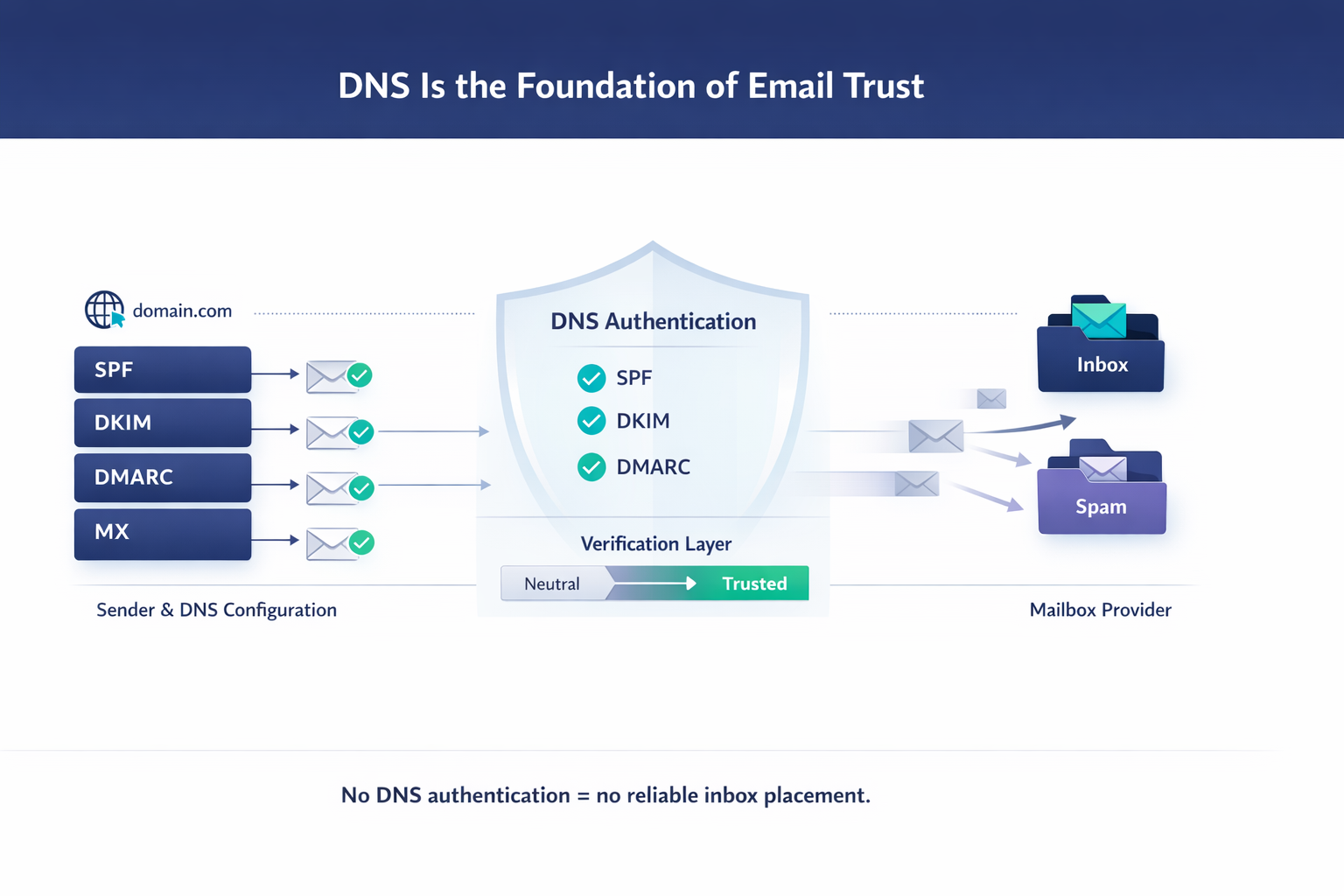
DNS and Email: Why DNS Is Essential for Email Deliverability
When an email is sent, it doesn’t travel directly from sender to inbox. Behind the scenes, a series of technical checks determines whether that message is trusted, delayed, filtered, or rejected entirely.
At the core of all these checks is DNS.
Without properly configured DNS records, email simply cannot work reliably. Authentication fails, reputation suffers, and messages end up in spam—or never arrive at all.
Let’s break down what DNS does and why it is critical for email sending.
What Is DNS? (In Simple Terms)
DNS (Domain Name System) is the internet’s address book.
It translates human-readable domains (like example.com) into technical instructions that servers understand.
For email, DNS tells the receiving mail server:
- Which servers are allowed to send mail for a domain
- How to verify that a message is authentic
- What to do if authentication fails
Every incoming email is checked against DNS before it is trusted.
Why DNS Matters for Email Deliverability
Mailbox providers like Gmail, Outlook, Yahoo, and Apple Mail rely on DNS records to answer three key questions:
- Is this sender allowed to send mail for this domain?
- Has the message been altered in transit?
- What should happen if something looks suspicious?
If DNS does not provide clear answers, the safest option for providers is to filter or block the message.
Key DNS Records Used in Email
MX (Mail Exchange) Records
MX records define which mail servers receive incoming email for your domain.
Without valid MX records, email delivery is impossible.
SPF (Sender Policy Framework)
SPF tells receiving servers which IP addresses or servers are allowed to send email on behalf of your domain.
If an email comes from an unauthorized source, SPF fails.
Poor SPF configuration is one of the most common causes of:
- Spam filtering
- Spoofing
- Phishing abuse
DKIM (DomainKeys Identified Mail)
DKIM adds a cryptographic signature to outgoing messages.
The receiving server checks DNS to verify that:
- The message was really sent by your domain
- The content was not modified
If DKIM fails, trust drops immediately.
DMARC (Domain-based Message Authentication, Reporting & Conformance)
DMARC connects SPF and DKIM and defines policy.
It tells mailbox providers:
- What to do if authentication fails (none / quarantine / reject)
- Where to send reports about authentication and abuse
DMARC is now a requirement for bulk senders at Gmail and Yahoo.
DNS and Sender Reputation
DNS records don’t just authenticate messages—they help build sender reputation.
Consistent DNS alignment allows mailbox providers to:
- Track engagement correctly
- Attribute behavior to the right domain
- Detect abuse faster
Misaligned or broken DNS causes:
- Reputation fragmentation
- Unpredictable inbox placement
- Higher filtering even with good content
Common DNS Mistakes That Break Deliverability
- Multiple conflicting SPF records
- SPF exceeding the 10 DNS lookup limit
- DKIM keys missing or rotated incorrectly
- DMARC set to
noneforever - Domains sending email without any authentication
These issues are invisible to most marketers—but immediately visible to mail servers.
Why DNS Is Not “Set and Forget”
DNS changes over time:
- Email providers update requirements
- Infrastructure changes
- New tools and vendors are added
- Domains age and reputation evolves
DNS must be reviewed regularly, not only when something breaks.
Conclusion
DNS is the foundation of email trust.
You can have perfect content, great offers, and clean lists—but without properly configured DNS, inbox placement will always be at risk.
If email deliverability matters to your business, DNS is not optional.
It’s the first thing mailbox providers check—and one of the hardest things to recover once misconfigured.