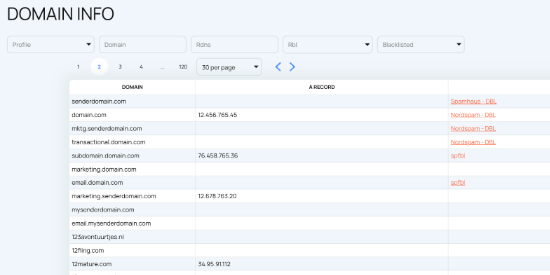
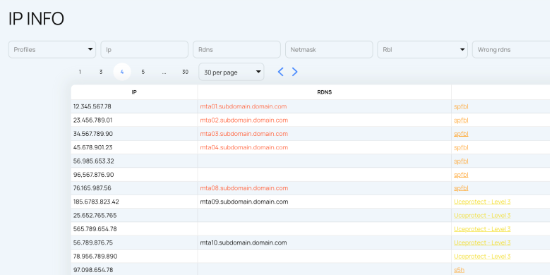
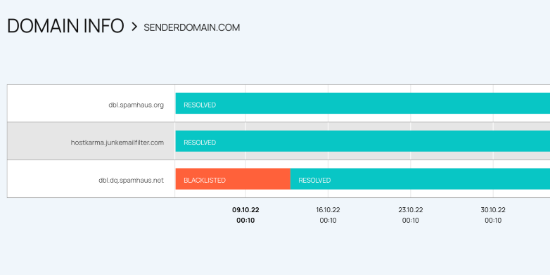
A blacklist result is only one part of the email deliverability picture. To understand the real impact on sending health, EmailConsul connects IP and domain monitoring with
DMARC Monitoring,
Email Threat Intelligence,
Google Postmaster data,
SNDS data, dashboards, and AI-powered analysis. This helps teams see reputation, security, compliance, performance, and risk signals in one place instead of switching between separate tools, reports, lists, and databases.
DMARC Monitoring
DMARC reports show which sources are sending on behalf of your domain, whether SPF and DKIM checks pass, and where authentication problems may affect deliverability. When this data is reviewed together with IP and domain monitoring, teams can connect blacklist status, sender authentication, compliance issues, message-level results, and mailbox-provider behavior much faster. Use
DMARC Monitoring
to connect these authentication signals with reputation data.
Email Threat Intelligence
Threat Intelligence helps detect abuse signals, spam traps, phishing attempts, malicious infrastructure, suspicious senders, and risky behavior around domains. Combining threat detection with reputation monitoring gives security and deliverability teams better insight into problems that may damage trust, sender score, inbox placement, or brand protection. Review
Email Threat Intelligence
alongside blocklist and sender reputation changes.
Google Postmaster Monitoring
Google Postmaster Tools provide visibility into Gmail reputation, spam rate, authentication, encryption, delivery errors, feedback signals, and sender health. EmailConsul combines Postmaster data with blacklist checks, IP reputation, sender reputation, engagement metrics, and deliverability analytics so teams can track changes and understand their impact over time. Add
Google Postmaster Monitoring
to see provider-level reputation signals.
SNDS Monitoring
SNDS Monitoring helps track Microsoft sender data including IP status, complaint rates, trap hits, mail server behavior, filtering results, and reputation trends. When SNDS data is combined with DNSBL monitoring, teams can determine whether a problem is isolated to a single IP address, mailbox provider, sending source, or a broader infrastructure issue. Use
SNDS Monitoring
to connect Microsoft feedback with DNSBL events.
Inbox Placement Testing
Inbox Placement Testing shows where messages actually land across mailbox providers such as Gmail, Microsoft, Yahoo, and other ESPs. While reputation monitoring explains potential risks, inbox placement results show the real-world impact on inboxes, spam folders, and delivery performance. Reviewing inbox placement alongside DNSBL monitoring, DMARC reports, Postmaster Tools, SNDS, and threat intelligence gives teams a more complete assessment of sender health and email deliverability. Add
Inbox Placement Testing
to validate the real placement impact.
Dashboards and AI Assistant
EmailConsul dashboards collect data points from blacklist checks, DMARC reports, Postmaster Tools, SNDS, threat signals, alerts, and historical tracking. The AI Assistant helps users analyze reports, explain results, identify risky sources, compare metrics, uncover hidden patterns, and recommend next actions when deliverability, security, sender reputation, or performance changes.
Having these signals in one place makes reputation monitoring significantly more useful. Instead of checking separate tools, exporting reports, comparing lists, and manually reviewing data sources, EmailConsul gives teams a clearer way to monitor sender health, investigate issues, measure performance, identify risks, and react before small problems become blocked campaigns.
This unified view helps organizations connect deliverability metrics, sender reputation, DNSBL status, authentication, mailbox-provider feedback, threat intelligence, compliance reporting, and engagement data through a single dashboard experience.