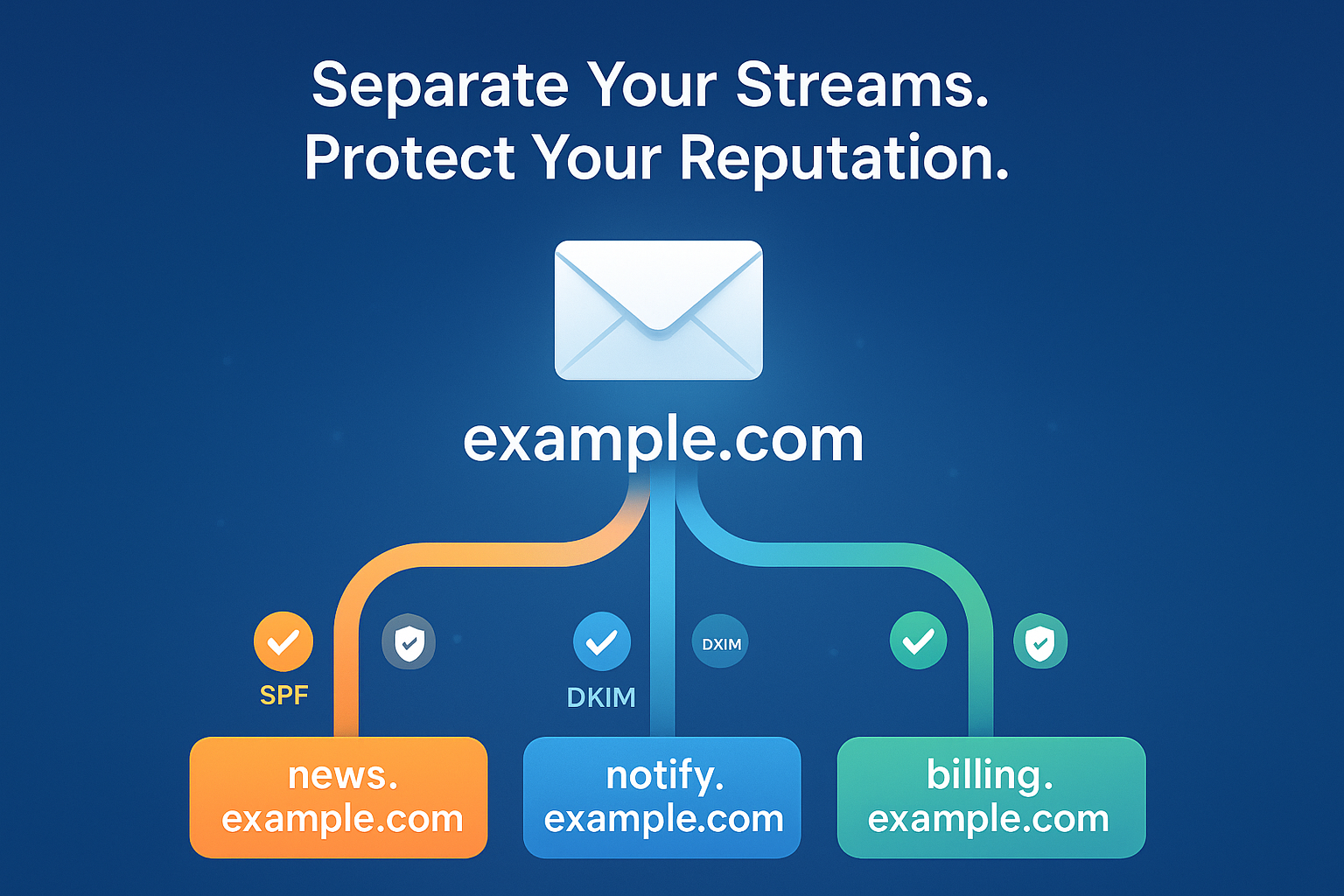
Mail Stream Separation: Email Subdomain Best Practices
Here's a simple truth about email deliverability: not all your emails are equal.
A password reset is not the same as a marketing newsletter.
A billing reminder shouldn't share a reputation with a Black Friday promo.
Yet many senders still push all email types through the same domain - and then wonder why inbox placement drops or why their transactional messages end up in spam.
That's where mail stream separation - using dedicated subdomains - becomes your secret weapon.
Key takeaways
- Separate email channels by subdomains: use dedicated subdomains for marketing newsletters, billing emails, and transactional alerts.
- Check authentication: configure SPF and DKIM for each sending subdomain, then verify DMARC alignment with a test message.
- Start small and warm up gradually: increase sending volumes steadily and avoid bursts followed by silence.
- Monitor each stream: review DMARC reports, delivery errors, and domain and IP reputation.
💡 What Mail Stream Separation Really Means
Mail stream separation doesn't always mean different IPs or domains.
For many senders, especially small to medium-volume ones, an email subdomain is a practical way to separate streams while keeping everything under the same brand, but giving each email type its own identity.
Example:
news.example.com→ marketing newslettersbilling.example.com→ invoices and payment remindersnotify.example.com→ transactional alerts
This setup tells mailbox providers:
"Hey, my marketing and transactional emails serve different purposes - and they have their own track records."
It's clean, brand-consistent, and highly effective.
⚙️ Why Subdomain Separation Matters
- Sender Reputation Across Separate Streams
Mailbox providers track reputation on both domain and subdomain levels.
Separating streams can make their purposes and sending patterns clearer, but a shared sending IP can still create common reputation exposure. See Google's shared-IP guidance.
For example, if your
news.example.comsubdomain gets a few complaints or low engagement, your transactional subdomain (notify.example.com) stays safe. - Better Inbox Placement for Critical Emails
Transactional messages (like password resets or confirmations) are expected by users.
Expected service messages deserve a predictable sending pattern. Separation can reduce some cross-stream risk, but it does not guarantee inbox placement.
- Easier Setup for Low to Medium Volumes
If your total send volume is low (say, below 50,000 emails/month), you don't need multiple IPs - that can actually hurt consistency. In this case, keep all subdomains on the same IP, but clearly separate them by subdomain.
Mailbox providers care more about consistent patterns than about how many IPs you use.
Once you grow beyond ~50,000 messages a month and your traffic becomes steady, you can consider assigning separate IPs per stream for even finer reputation control.
See Amazon SES guidance on dedicated IPs and Yahoo's stream-separation guidance.
- Transparency and Authentication
Configure SPF and DKIM for every subdomain, then verify effective DMARC policy and alignment.
A subdomain can be covered by inherited policy; it does not always need its own DMARC record. See DMARC policy discovery.
Use DMARC reports to review authentication results, supported Gmail Postmaster dashboards for sending authentication domains, and SNDS for Outlook.com IP signals. Your ESP's delivery and error records can help you monitor each stream, but they do not establish inbox placement.
This makes it clear which type of email comes from where - and builds trust with mailbox providers.
🚀 Email Subdomain Best Practices for Mail Stream Separation
- Identify your streams - marketing, transactional, billing, notifications.
- Create dedicated subdomains for the streams you need.
Configure each stream in your ESP with its intended From domain, SPF, DKIM signer, and an ESP-supported Return-Path.
For example, a marketing stream can use
news.example.comas its From domain and DKIMd=news.example.com. SPF checks the applicable sending identity; a parent SPF record does not automatically apply to child names. See the SPF identity definition and DKIM signer definition.DMARC needs a passing, aligned SPF or DKIM result. Strict alignment means identical domains; relaxed alignment can use the same organizational domain. Check the effective DMARC policy for each subdomain, then inspect a received test message. See DMARC alignment.
Before sending, check your SPF record with the SPF Checker, your DKIM record with the DKIM Checker, and your DMARC record with the DMARC Checker.
- Send gradually and consistently - especially if you're launching a new subdomain.
Monitor each stream in your ESP's delivery and error records. Add sending authentication subdomains in Postmaster Tools; low-volume data can be absent, and its Compliance view is primary-domain-wide.
For better visibility integrate with Google Postmaster in EmailConsul.
⚠️ Common Pitfalls
❌ Failing to distinguish materially different streams when their needs justify separation.
❌ Sending inconsistent volumes (bursts and silence).
❌ Skipping authentication on subdomains.
❌ Moving to new subdomains without proper warm-up.
❌ Assuming separate subdomains avoid Gmail bulk-sender requirements: Gmail combines primary-domain and subdomain traffic around 5,000 personal-Gmail messages in 24 hours for this classification. This threshold is separate from IP-selection decisions. See Google's bulk-sender FAQ.
🎯 Final Thoughts
You don't need five IPs or separate domains to improve deliverability.
You just need structure and consistency.
Start small:
Start with the sending structure your ESP supports, then reassess routing as each stream's sustained volume and patterns change.
If you're sending under 50K emails a month - stay on the same IP, but separate your streams with subdomains.
If you're scaling above that and your traffic is consistent - then consider dedicated IPs per stream.
Subdomain separation can help organize sending identities and patterns, while shared infrastructure still needs careful monitoring with DMARC monitoring, Postmaster Tools, and SNDS, Domain and Ip Reputation.
At EmailConsul, we help teams monitor everything in one place and keep emails out of spam folders.
Because good deliverability isn't about volume - it's about clarity and trust. ✉️